VPS Architecture and Workflow
A compact map of how this VPS is organized today: where work starts, how public traffic is routed, where apps live, how operational dashboards fit in, and which rules keep the environment predictable.
Operating model
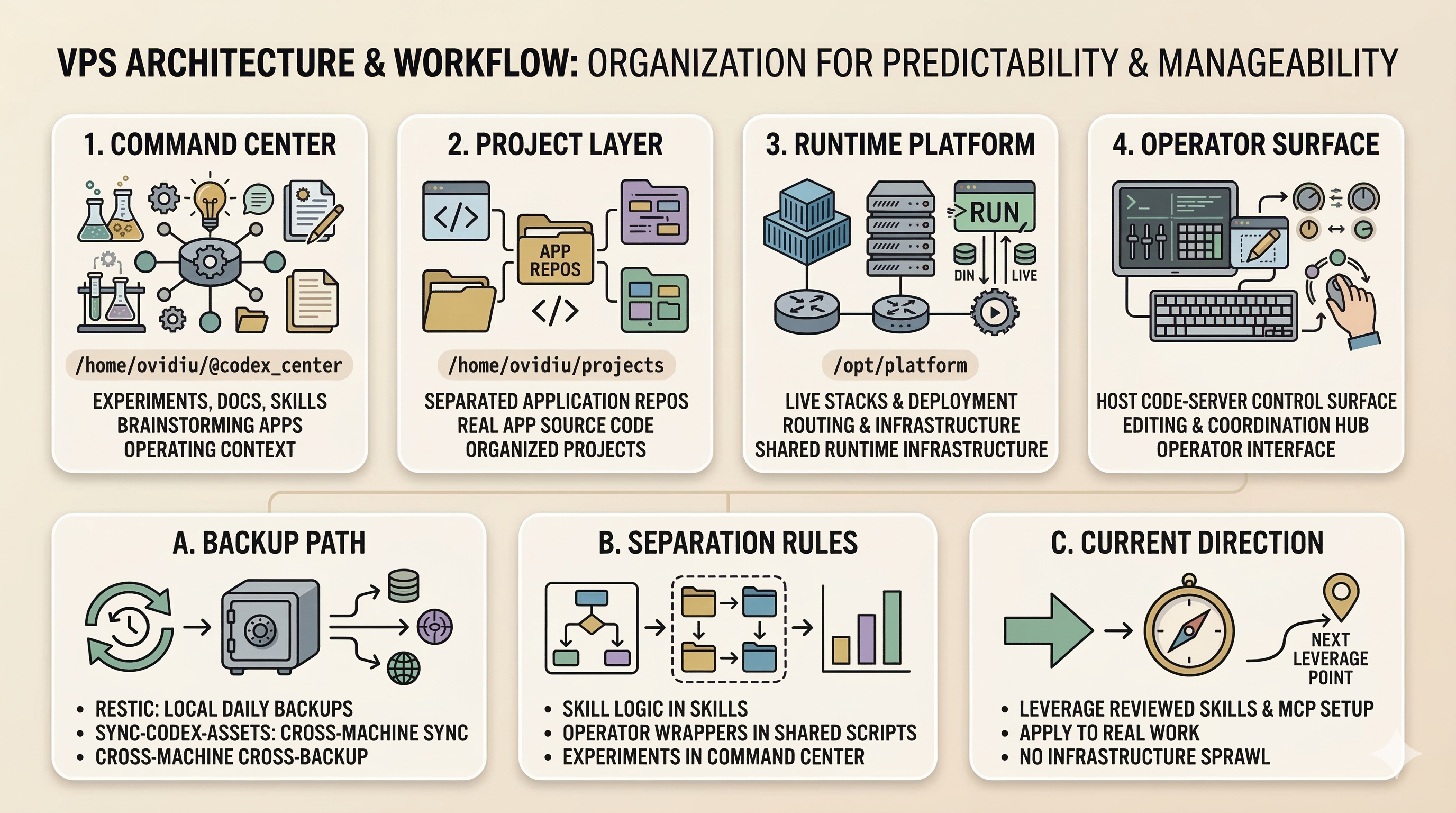
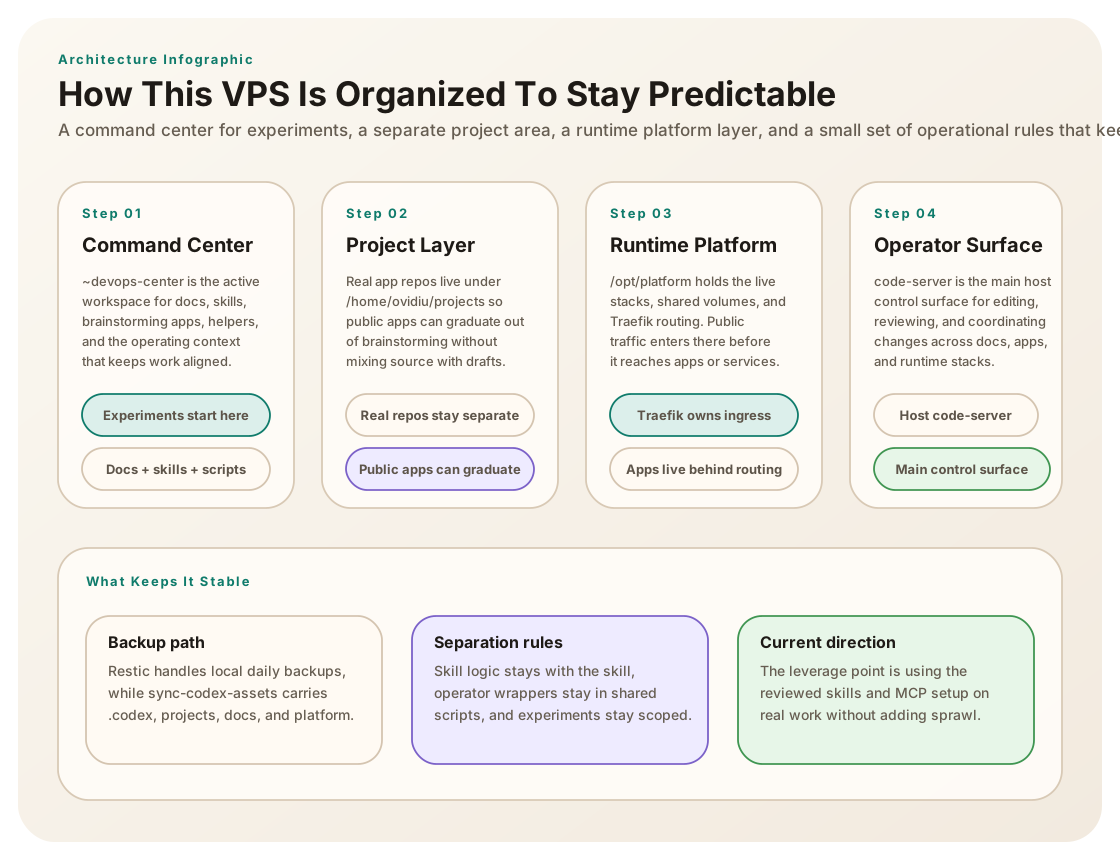
This VPS uses a split model: /home/ovidiu/~devops-center is the command center for experiments, docs, skills, and brainstorming apps, while /home/ovidiu/projects holds real project repos and /opt/platform holds runtime stacks and shared platform routing.
- Command center: /home/ovidiu/~devops-center
- Real project repos: /home/ovidiu/projects
- Runtime platform stacks: /opt/platform/apps
- Runtime shared volumes: /opt/platform/volumes
Public request flow
Public HTTPS traffic lands on Traefik, which owns ingress and routes requests to the right Docker app or host-backed service. Most public surfaces are reached through Traefik instead of exposing random host ports.
- Traefik is the public reverse proxy
- Public endpoints include ovidiutm.com, brainstorming, vscode, status-board, and vps-monitor
- Host services should normally sit behind Traefik instead of being exposed directly
Operator environment
The main operator workspace is host code-server. It is treated as a key service because it is the primary control surface for editing files, managing docs, and coordinating changes across projects and platform stacks.
- code-server@ovidiu.service is active
- Brainstorming and command-center work is usually edited from code-server
- Live-impacting changes should verify service state and public routes after edits
Current app landscape
The VPS currently exposes a mix of brainstorming apps and project-backed apps. The status board monitors public hosts and runtime health, while brainstorming acts as the public index for draft internal tools and explainers.
- Status Board: 9 / 9 public surfaces healthy
- Platform services tracked: Docker, Traefik, Code Server, Status Board
- vps-monitor has its own hostname and project folder
- Morning Briefing and other internal tools stay under brainstorming
Reliability and backup path
Backups use local encrypted restic with a daily timer, while cross-machine backup/sync to Windows uses a dedicated sync-codex-assets script. That script now includes the full .codex tree and supports both interactive and flag-driven runs.
- restic-backup.timer is active
- Cross-machine backup includes .codex, ~devops-center, projects, and /opt/platform
- Windows backup flow now tolerates live-changing SQLite WAL files
Workflow rules that matter
The environment stays manageable because work is intentionally separated by purpose. New experiments start in ~devops-center, app source stays with the app, and secret-aware or VPS-level wrappers stay in the shared scripts directory instead of being scattered across skill folders.
- Start new experiments under /home/ovidiu/~devops-center
- Move real subdomain apps into /home/ovidiu/projects/<name>
- Keep skill-specific scripts inside the skill folder
- Keep operator or secret-aware wrappers in /home/ovidiu/~devops-center/scripts
Current takeaway
This VPS is already organized as a small personal platform rather than a loose server. The next leverage point is not more infrastructure sprawl, but using the reviewed custom skills and MCP integrations on real work while keeping the separation between command-center, project, and runtime layers intact.
- Use reviewed custom skills on live tasks
- Add missing MCP secrets only when a task needs them
- Keep public routes and source locations predictable